You built your website with AI. Here’s how you get it live


AI can turn your idea into a website in minutes, but taking it live requires some critical decisions based on your goals. From a complete business backend to static site hosting, here are three ways you can get your AI creation up and running.
If you’ve ever used AI to build a website, there’s an undeniable “wow factor.” I’m talking about the mind-boggling magic that turns your prompts into pages in minutes, without touching a line of code.
I’ve tested a slew of AI vibe coding tools for building sites and apps, from Base44 to Bolt to Lovable. I’ve reviewed products like Fimo for creating beautiful pages, and I use Claude Design regularly to whip up basic prototypes in seconds. But I've also challenged several AI builders to generate multi-page designs and components – and the results are pretty impressive.
Once you’re finished experimenting and optimizing with AI (and you’re happy with the output), you’re left asking an obvious question: How do I make this thing live? The answer varies. Some solutions offer hosting as part of the builder experience. But if you generated your website using Gemini, you still need to decide where it will run.
Selecting the right hosting and backend services depends on the kind of site you’ve built and your goals. Is it a full business experience that needs to take payments or schedule bookings? A dynamic web or mobile app? Or a basic landing page that just needs periodic updating?
Whether you've already created your site using AI or you're just considering it, there are some great options to support what you're building and your level of technical skill. Here are three pathways for getting your website from prompt to production, and a few tools that are up for the challenge.
1. Power your frontend with a fully managed business backend using Wix Headless
Having AI conjure a beautiful storefront can feel magical. But what happens when someone clicks the “Buy” button? What system handles payments or bookings? And how do you manage content while maintaining creative control of your frontend?
Sure, you can stitch together the individual tools you need. But that can be a complex lift, requiring you to manage multiple apps and licenses, maintain integrations, and coordinate support when something breaks.
This is where the appeal of a managed business backend comes in, and Wix Headless is one of the most complete solutions for making your project business-ready. With Wix Headless, you can build using any AI tool, code stack, or mobile app framework, and Wix takes care of the rest – from commerce to bookings, memberships to content management. There’s no infrastructure to maintain or third-party tools to connect, and it’s all managed in one unified workspace.
How it works
The secret sauce with Wix is in the word headless. I’ve covered this architectural approach for over a decade, and it offers key advantages if you’ve created or plan to build your site with AI.
Unlike traditional websites that combine pages and UX with business functions like e-commerce and content management, headless decouples the frontend website – referred to as the “head” – from the backend services. Each layer can be built and managed separately, allowing you to keep your AI-generated experience and connect it to established business services.
While a headless architecture can be used to compose multiple third-party apps, Wix Headless connects your creation to a complete business platform, rather than simply adding APIs to a page builder. And it's all managed through a unified Wix Dashboard that's incredibly easy to use.
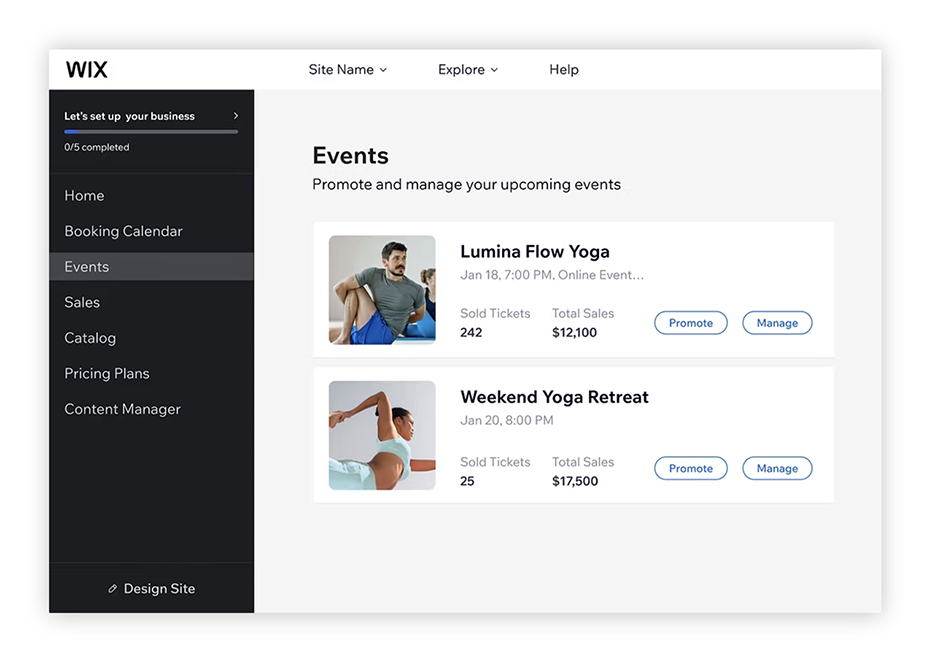
Wix Headless provides a complete backend that can power commerce, bookings, content management, and more
Manage multiple channels and projects
Another highlight of Wix Headless is that multiple frontends can share the same underlying business services, allowing you to push data and content to both a website and mobile app from one project (sometimes referred to as “omnichannel”). For agencies, separate client projects can also retain their own business tools and management environments.
Build a frontend using your favorite AI tool
Wix also makes the connection more approachable for nontechnical builders. Give a compatible AI coding agent a prompt referencing wix.com/headless/skill.md, and it can help configure the project and connect your frontend to Wix services. The agent handles the code, so you don't have to.
If you’re already a Wix user, you can also create a new frontend from within your account using tools like Base44, Claude Code, Cursor, or Codex. Because Wix is natively AI-ready, you can simply prompt your way to a new site and refine it using your AI tool of choice.
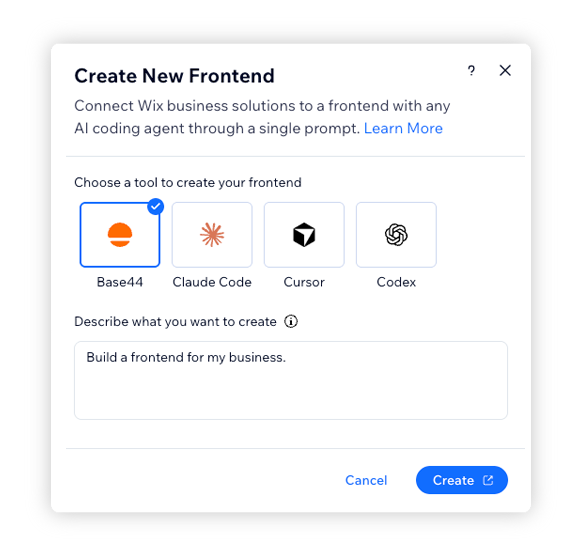
Use the Wix ChatGPT or Claude plugin to create and manage your site
Wix takes simplicity even further by providing a native plugin inside ChatGPT or Claude that connects directly to your account. Simply open your ChatGPT or Claude app, describe the website you want using natural language, and tag @Wix in your prompt. And like magic, you'll have a complete site in your Wix account that’s fully hosted, mobile-responsive, and ready to publish.
What sets Wix apart is its unmatched flexibility. Once your new site is rendered, you can continue to manually refine it via the Wix editor, or use Wix’s Aria AI agent to prompt your enhancements. And if you prefer using your own agent to keep managing your site, you can use the Wix MCP server to update your site via ChatGPT or Claude.
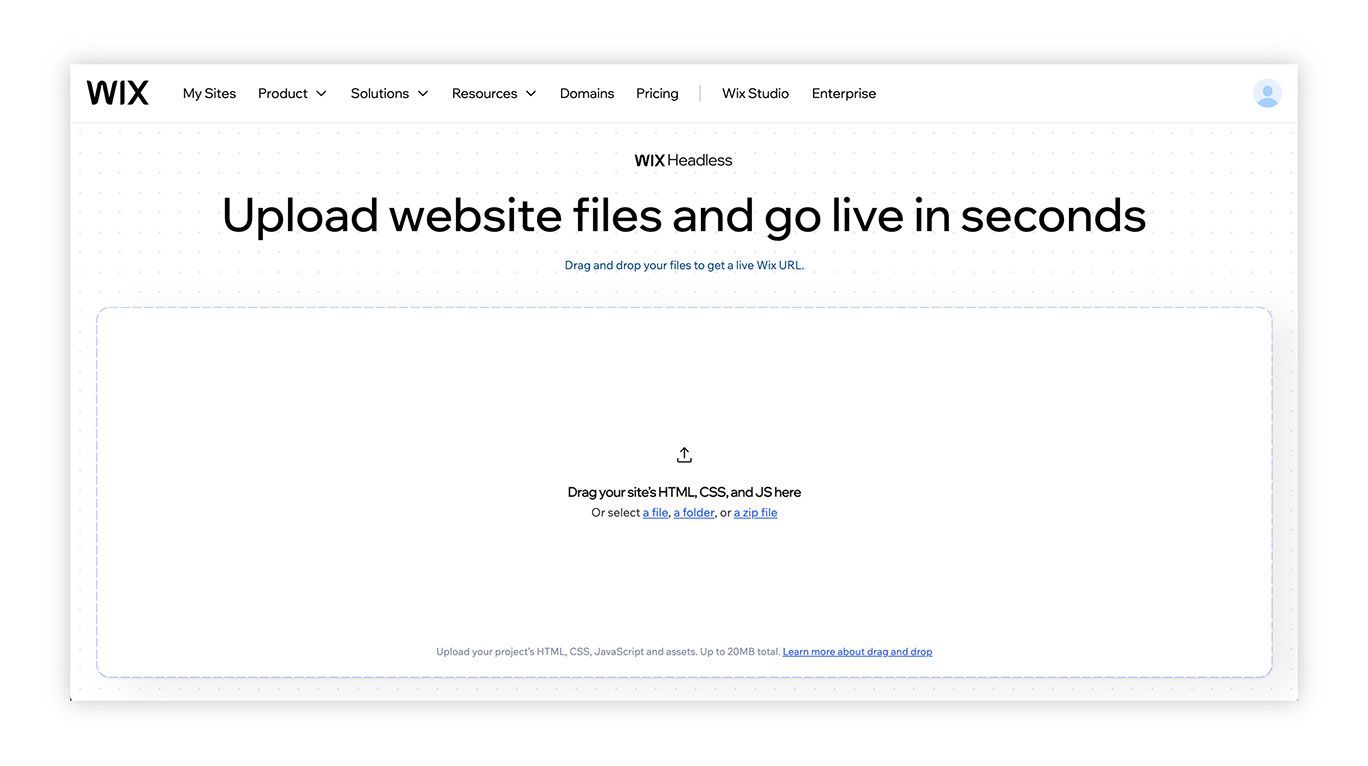
Drag and drop your website files into Wix Headless
If you already have a site package that’s ready to go, you can simply upload your source HTML, CSS, and JS into Wix Headless and be ready to go live with a Wix URL in seconds. Then, you can add the business services you need from your Dashboard and only pay for what you use.
For more ambitious developers who want hands-on control, you can work directly with the Wix CLI, Wix APIs, and its JavaScript SDK to build advanced customizations, or to expand your capabilities with other systems or apps.
Why choose Wix Headless?
For me, the breadth of native functionality is the big draw. The capabilities available in Wix Headless cover a wide range of business needs, reducing the number of separate systems you would need to assemble and maintain. Native features include:
- Commerce: Product catalogs, inventory, orders, and secure checkout
- Bookings: Service scheduling, availability, payments, and automated reminders
- Events: Ticket sales, guest lists, invitations, and RSVPs
- Memberships and subscriptions: Pricing plans, recurring billing, and gated content
- Content management: Structured CMS content and blog posts for custom experiences
- Payments: Payment collections that are connected to the services you’re selling
You also have a choice when it comes to deployment. With Wix-managed headless, Wix deploys and hosts supported frontends on its managed infrastructure, with a global CDN. Its recommended Astro integration includes automatic authentication and built-in SEO support.
If you're aiming for more direct control, there's also Self-managed headless, allowing you to host your frontend with a provider like Vercel, Netlify, AWS, or any infrastructure of your choice – and connect it to Wix’s backend. You have more freedom, but you also take responsibility for frontend hosting, authentication, and configuration.
What to consider
Obviously, AI reduces the technical friction. But products, availability, payments, and permissions still need to be configured. You'll want to review the pricing options, although Wix does a great job of making its core plans transparent and predictable.
As a rule of thumb, I would test your complete customer journey before launching anything. Make a purchase or booking, check the confirmation, and verify that it appears correctly in your dashboard. Wix Headless gives you the underlying services, but those final checks ensure they’re working for your business.
Use cases
- Online stores that need inventory, orders, and checkout
- Consultants, salons, studios, and other appointment-based businesses
- Events, paid communities, and subscription services
- Businesses sharing content and services across websites and apps
Who it’s perfect for
Wix Headless is ideal for any AI builder, vibe coder, or serious business that wants their custom AI creations to support real transactions. The great thing about Wix is that you can start everything for free, but accepting payments and unlocking certain features requires an appropriate paid plan. Remember to factor in payment processing and any separate frontend hosting costs.
If you’re an agency or freelancer, Wix Headless offers flexibility and enhanced productivity. For starters, it provides a complete range of services that other all-in-one platforms might be missing. For example, a website running on a system like Webflow that doesn't offer native booking or appointments can easily add it through Wix.
Here's the other benefit: separate Wix projects give your clients their own dashboards for managing their content and business tools after handoff. This puts them in more direct control while reducing the need for support. That can give you back precious time to focus on growing your business.
The proof is always in the pudding, and Wix Headless offers some compelling resources, use cases, and customer success stories that back up the solution. You can read more here.
2. Build and publish your AI site on an all-in-one platform
There are lots of big, reputable hosting platforms for websites, from GoDaddy to BlueHost. If you've already built your site using an AI tool like Claude, you can export your HTML, CSS, and JavaScript files and manually upload them to your host of choice.
Some platforms like Hostinger also offer an MCP (Model Content Protocol) server that powers a direct connector for Claude Code, letting you ship sites and apps, manage domains, and even run your WordPress CMS without leaving your coding environment.
Big hosting solutions offer stable and reliable performance for your AI-built site, but you might be dealing with cPanel file managers and other exotic functions to take your site live. Then, you'll have to worry about editing and maintaining it. If that all sounds complicated, it can be.
If you haven't built your site with AI yet – and you're craving an even simpler approach – then an all-in-one platform might be the solution. The value proposition is simple: you create your site using the platform's native AI builder and publish it in the same place. Easy peasy.
Hosting platforms have featured website builders long before modern generative AI. Now, hosts like GoDaddy offer tools like its Airo AI Builder, allowing you to prompt your ideas into websites, apps, logos, databases, and more. But there are other all-in-one builders that produce amazing frontend experiences while allowing you to launch everything in one place.
How it works
All-in-one platforms combine the full spectrum of site creation, editing, and hosting in a unified experience. The provider operates the infrastructure, while you manage your pages and whatever content or business tools your plan includes.
Many platforms also offer app ecosystems, like the Wix App Marketplace, to extend their native features. These can add marketing, accounting, or industry-specific capabilities. Availability, setup requirements, and additional subscriptions vary.
Why choose this option?
There are clear benefits to an all-in-one approach. First, there's no separate hosting account or deployment pipeline to assemble. Everything is unified in one place, and that includes your bill. But you're also locked into the platform as a whole, which can be a limiting factor if your site needs services that aren't part of the package.
There are lots of options out there, but here are a few that rise to the top:
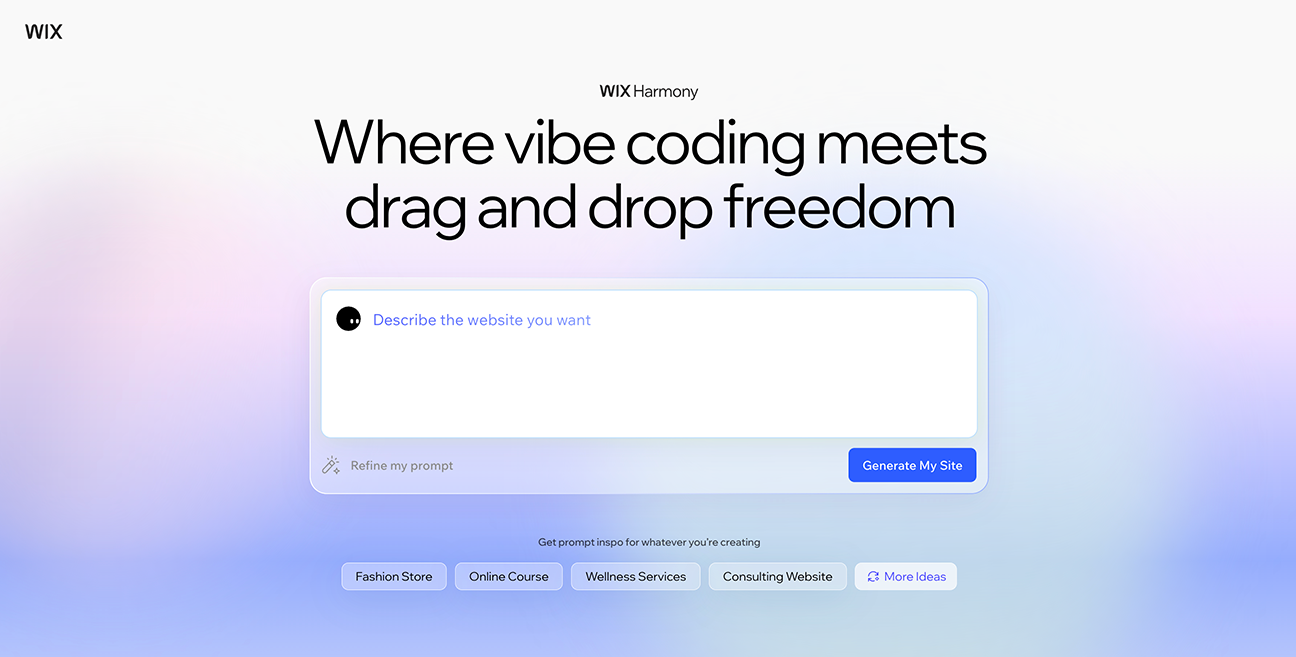
Wix is one of the leading options for an all-in-one solution, connecting its Wix Harmony creation tool with its hosted platform and integrated business tools. I recently used this to build a multi-page site, and not only is it super easy to use, but the output is some of the best I've seen from an AI builder.
What I love about Wix is how you can seamlessly move from AI prompts to manual editing using its drag-and-drop editor. This is a really key advantage that gives designers and builders a lot of control. You can also start with a template from the Wix library and customize it to your liking. You also have access to Wix's Aria AI agent for help along the way.
With Wix, you also get the speed, security, SEO, accessibility, and business-ready tools you need to expand and grow your site. And if you build with Wix, publishing stays in the same environment, with no separate infrastructure to set up.
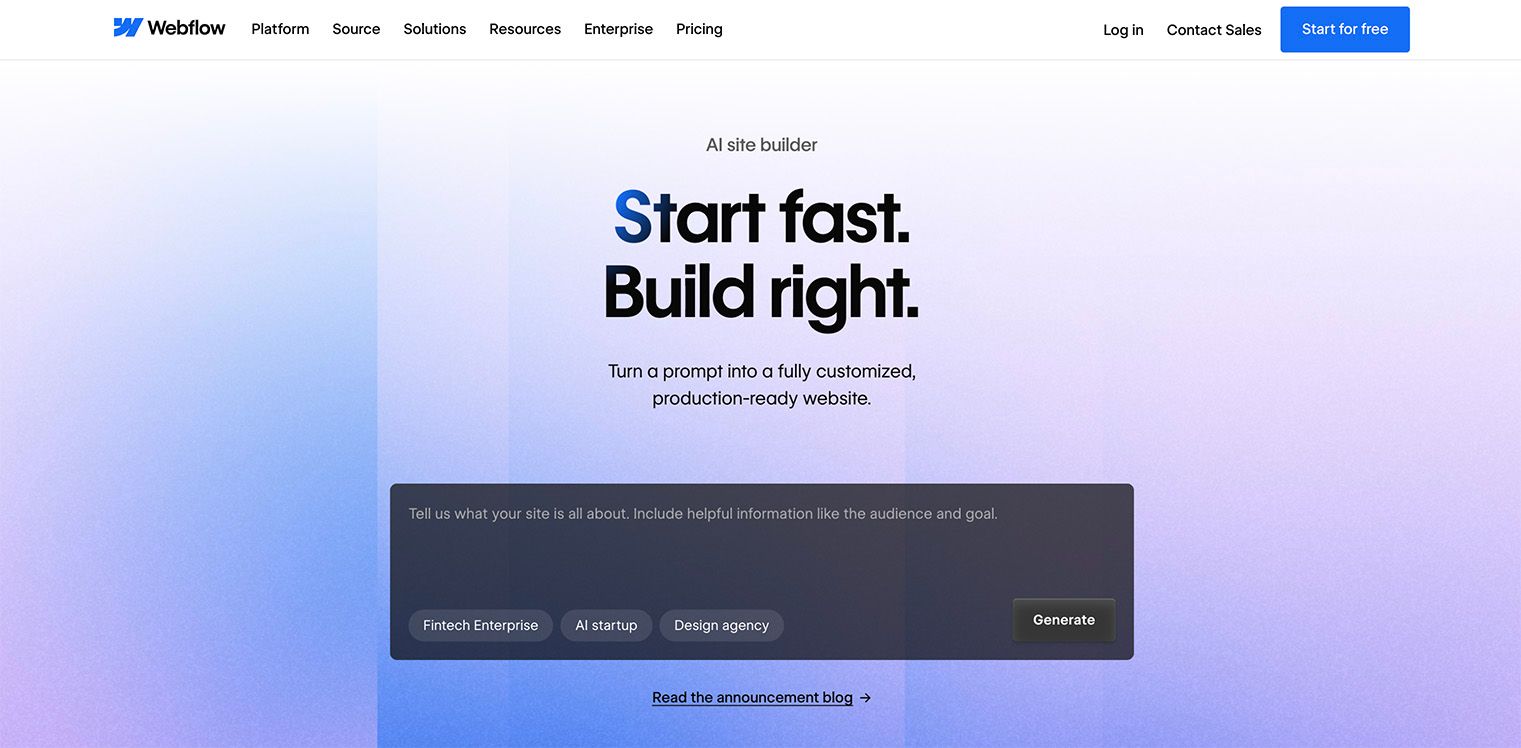
I've been a Webflow user for years, and it has always appealed to design professionals. It offers a highly granular interface with lots of control over the page experience. Now, it offers AI-powered creation with visual editing, a native CMS, and complete hosting capabilities.
With a few simple prompts, Webflow’s AI Site Builder can generate a functional, production-ready site and a foundational design system that you can customize around your specific needs. Like Wix, Webflow allows for a lot of manual design optimization. You can also use Webflow's AI to help generate new pages and CMS Collection items, optimize with native SEO and AEO features, and get assistance as you build – all within the Webflow editor.
Webflow is strong option worth considering if you want to build with AI, refine your generated design, and manage structured content in the same system. Webflow also offers MCP connectors for Claude and Gemini for managing CMS content and running tasks.
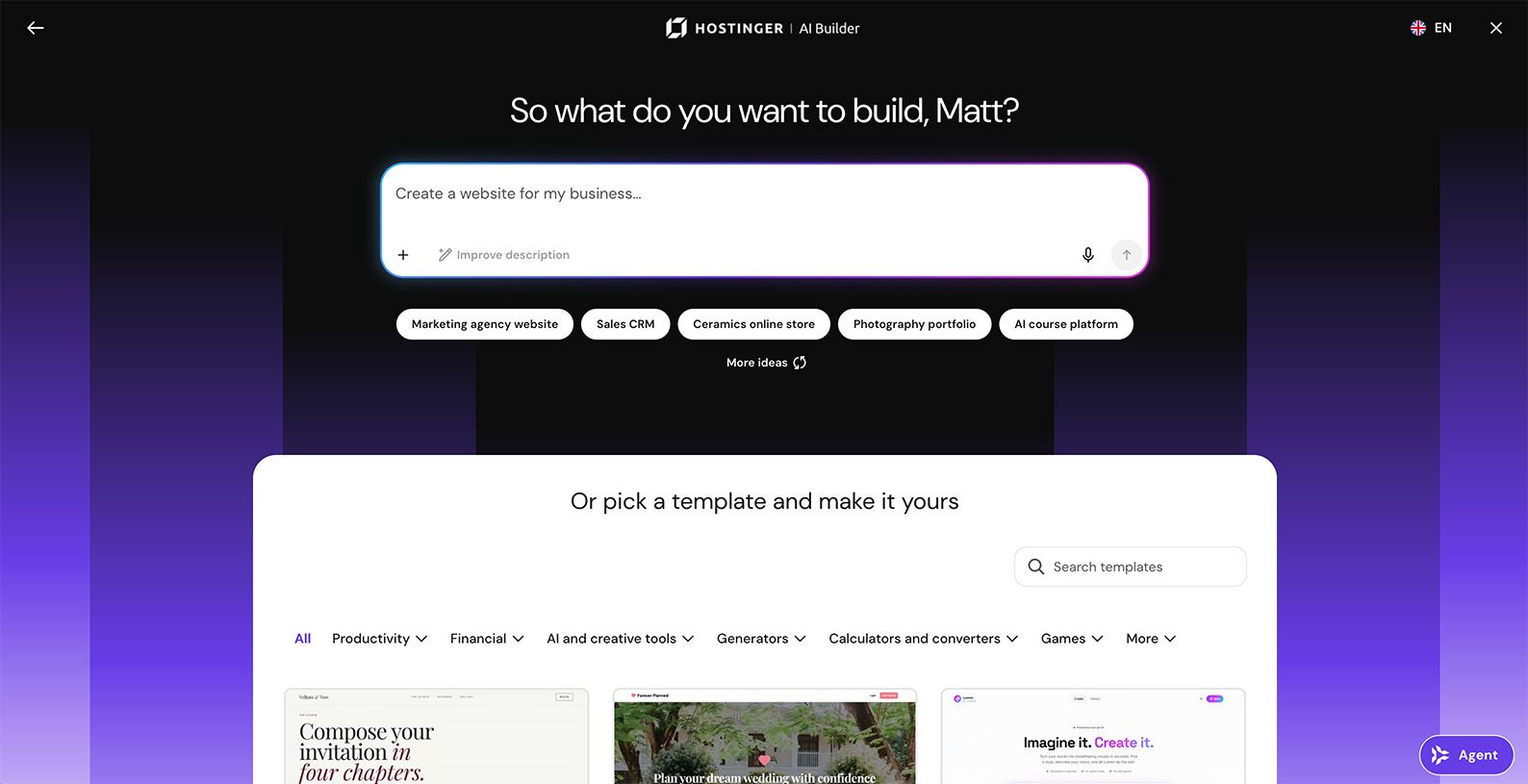
Like GoDaddy, Hostinger is another popular, multi-faceted hosting platform with all-in-one capabilities. It combines AI creation tools with domains, email marketing, e-commerce, and other features. It's ideal for small business sites that need solid hosting with add-on services that can grow over time.
Hostinger's AI Builder is slick, easy to use, and produces some decent design solutions based on your prompts. You also have access to analytics and a direct pipeline to your Hostinger dashboard. Once you approve your preview, you can publish your website and connect a domain. You can also engage with the Hostinger AI Agent directly inside the editor to answer any questions along the way.
What to consider
“All-in-one” describes how the platform is packaged, but it doesn’t mean every business service you might need is included. You’re working within the provider’s feature set, editor, and supported integrations. Missing functionality may require an app, an external service, or custom API work – assuming the platform supports the necessary connection. That can introduce technical responsibilities you might have been hoping to avoid.
Integrated AI builders can be finicky, especially if you're coming to it with code you've generated somewhere else (like the example I gave with Claude). If you already have a custom frontend, moving it into an all-in-one platform editor may involve rebuilding or adapting your site. You'll need to weigh the complexity of moving what you've created, or replicating it with a platform's native AI builder.
Use cases
- Small business websites and professional portfolios
- Marketing sites, blogs, and content-led experiences
- Stores and service businesses whose requirements fit the platform’s native features
Who it’s perfect for
Business owners, marketers, and small teams that want to create, update, and publish without the hassle of managing infrastructure. This route works particularly well when you’re starting fresh and really value a unified editing experience more than control over the underlying code and hosting.
3. Power AI-built sites with developer-centric static hosting
I love static frontends. I’ve been working with JavaScript React frameworks like Next.js for years, and a well-built static experience can be fast and straightforward to deploy. There are a number of other libraries out there (like Angular or Vue), but it's worth noting the framework itself doesn’t make a site static. What matters is whether you can deliver the prebuilt frontend.
If you're familiar with static hosting, you might have heard the term “Jamstack” (the “Jam” stands for JavaScript, APIs, and Markup). A few years back, this approach became super popular, delivering prebuilt pages while connecting to services through APIs. One of the biggest benefits is speed: a host can deliver those files without generating each page on demand, and you can still connect a CMS or business backend when you need one.
If your website is a little more straightforward – like a marketing campaign landing page, a portfolio, or what we call “brochureware” – then a static site might be an appealing option for getting your AI frontend live. But there are a few things to consider if you take this route.
How it works
Static hosts deploy your frontend and distribute it to visitors. A common workflow connects your code repository (like GitHub), runs the build, and publishes updates when you push changes to the configured branch. This requires some familiarity with development workflows, so there's a bit more technical know-how to pull this off.
Why choose this option?
For starters, you retain control of your AI frontend and get a deployment environment designed around code. Static sites are also blazing fast, and the hosting is often incredibly efficient and affordable.
Then there's security. Because there's no backend database or server-side scripting language to exploit (like PHP or Node.js), the attack surface is dramatically reduced. They're also incredibly reliable when it comes to uptime and solid on SEO.
I like all of these tools, and each one offers a useful path to production:
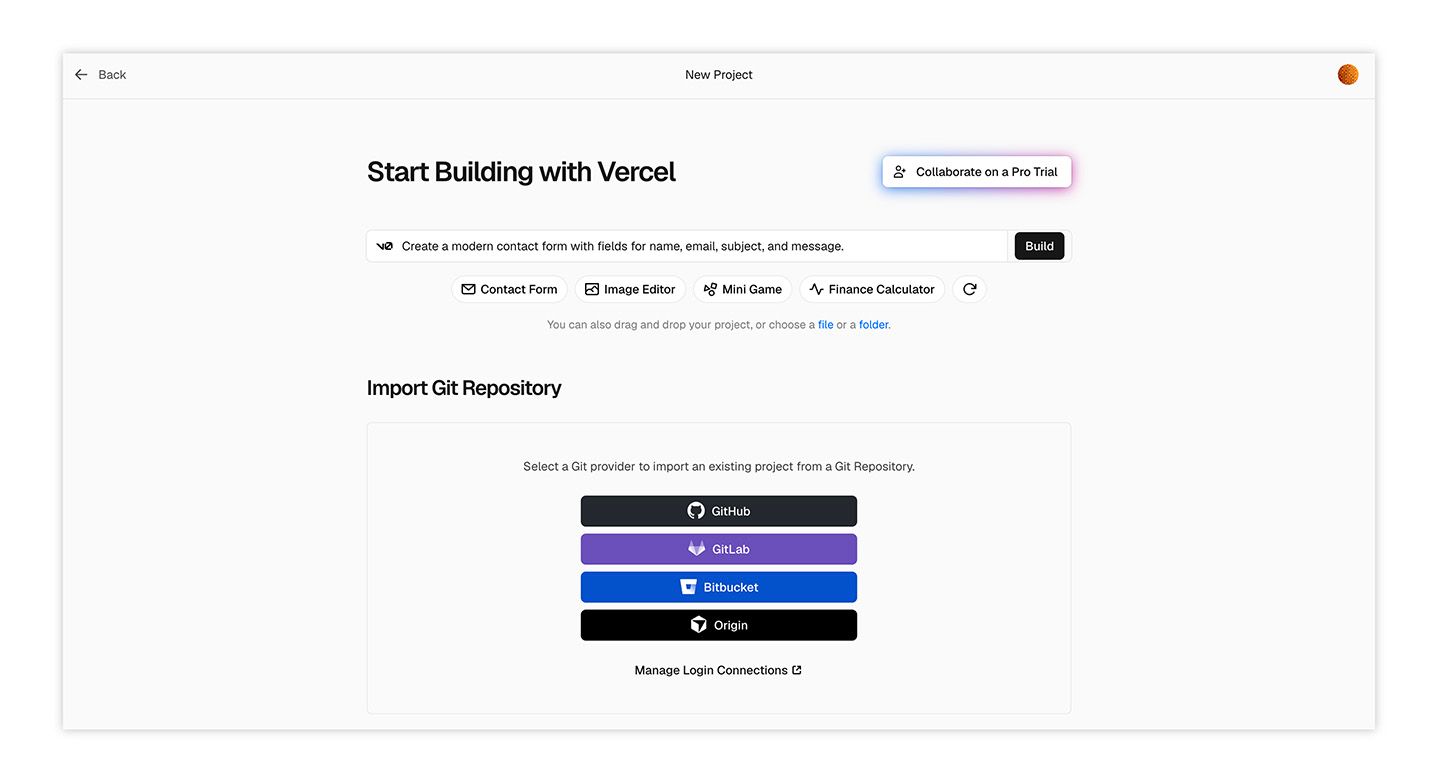
Vercel is a natural candidate for Next.js projects – it is, after all, the company that pioneered the framework and manages the teams supporting its development ecosystem. Vercel has zero configuration Git deployments and global edge network and caching, making it a high performance machine for delivering experiences.
As a platform, Vercel specializes in more than static sites, so it’s important to determine whether your generated site or app also needs any additional server-side functionality. Its free Hobby tier is for personal, noncommercial projects. Business sites should evaluate paid plans regardless of traffic, and all teams should review usage limits before launch.
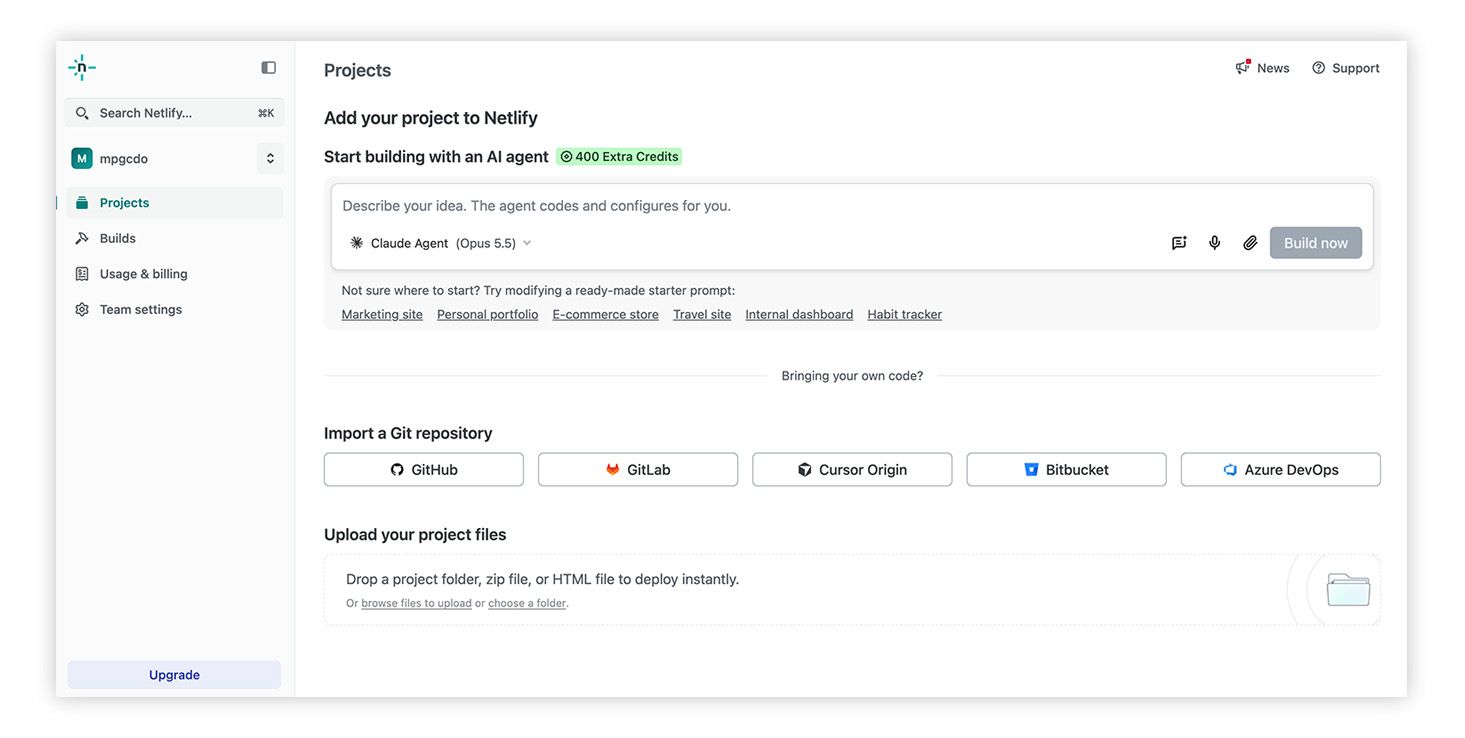
Netlify is the bomb. It provides superb workflows for deploying static sites and applications, including Git-based continuous deployment, global CDN, and automatic SSL security.
Netlify's credit-based plans are cool, but they make it important to understand how deployments and usage consume your allowance. Netlify's Free plan has a hard credit limit, and Bolt.new offers a Netlify deployment integration. It's a fantastic feature, but check the requirements for your Bolt project before choosing that route.
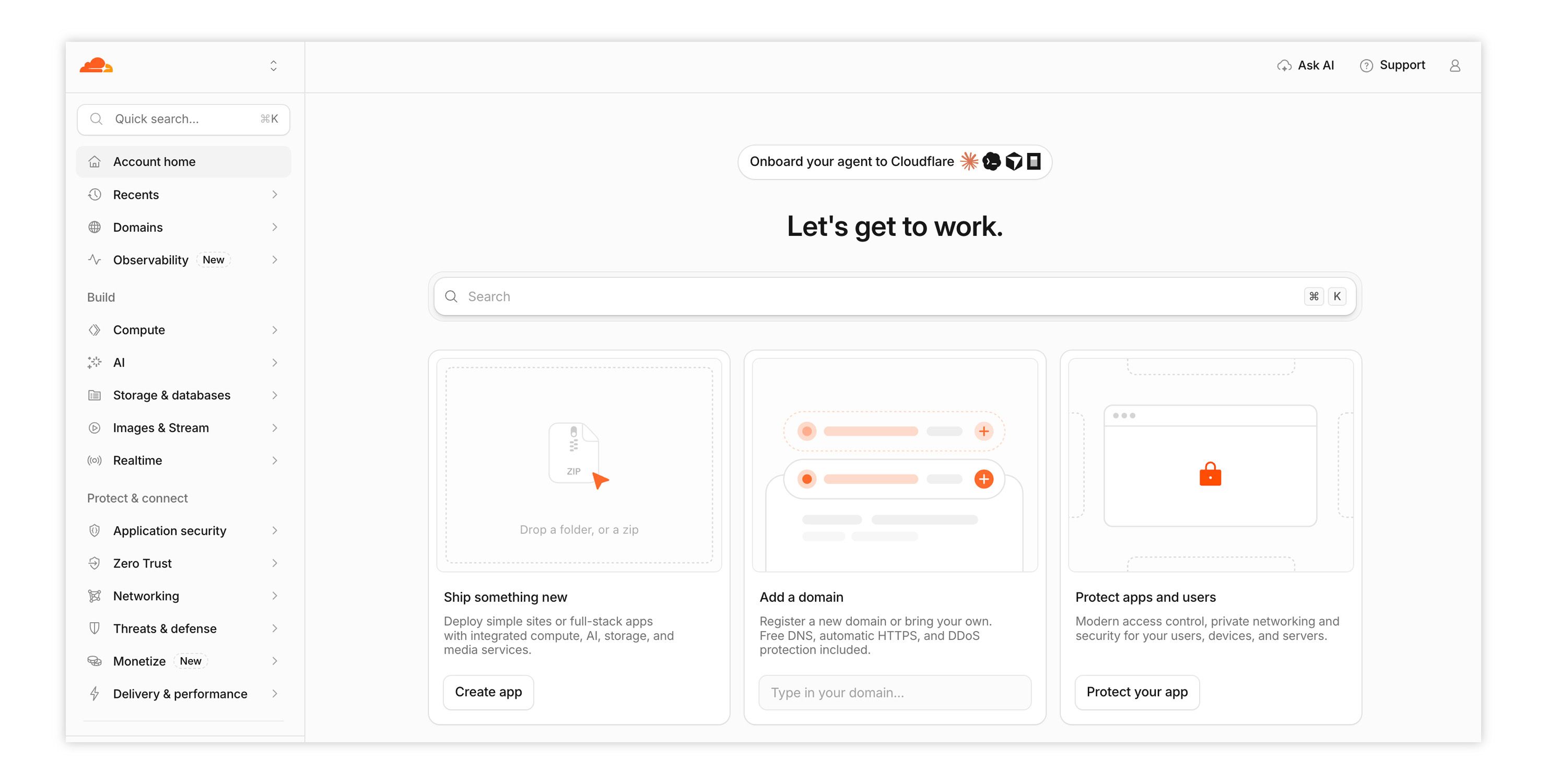
Cloudflare might be a CDN, but that gives it an edge when it comes to static site delivery – and that's where Cloudflare Pages fits the bill. Like Vercel and Netlify, it supports Git-connected deployments, and brings built-in security and SSL to the table. But what really makes it sing is its global reach, generous free tier, and deep integration with Cloudflare's massive security and edge network.
What to consider
Hosting your files doesn’t automatically provide an operating system for your business. These platforms offer infrastructure and development services, but commerce, scheduling, and editorial workflows still need to be implemented or connected.
For content in particular, a robust headless CMS – such as Agility, Kontent.ai, Storyblok, or Sanity – can provide a managed environment for editors while your frontend remains independently hosted. Many headless CMSes also offer integrations and extensions for other tools in your stack, so it's worth scoping what you need before you commit to a specific solution.
A headless CMS can give editors a way to publish without touching code. But someone still needs to model the content, connect APIs, configure previews, and determine how updates reach the live site. The vendor operates the hosted content backend, but you manage the frontend deployment and integration. Some products, such as Sanity, offer choices about hosting and embedding your editing interface.
You can also power your statically-hosted frontend with Wix Headless. So if your site needs more business functionality, you can add the full suite of business services to power your experience while still hosting it separately.
Use cases
- Campaign pages, portfolios, and informational sites
- Documentation and prebuilt content sites
- Custom experiences using a separately managed CMS or business backend
Who it’s perfect for
Developers, technically confident AI builders, and agencies that want control over code, deployment, and service selection. It’s also a good fit for teams with developer support that need specialized content workflows and are comfortable maintaining the connections between systems.
Get your site live – and give your business room to grow
After the AI “wow" of building your site, it’s time to get down to business. That starts with making the right choice for how you power your AI-generated frontend.
Maybe you only need a basic portfolio site. If so, static might be the way to go – if you have the technical chops. But if you’re taking orders, booking appointments, or selling memberships, you need the essential services behind those interactions to work. You can stitch up all that complexity yourself, or trust it to a managed backend that worries about making it all work.
If you’re looking for a fully managed solution that really delivers, Wix Headless really stands out for me. You can keep the frontend you created with AI and connect it to an established set of business tools, and incrementally adopt solutions as you need them. And by separating your frontend, you can own the experience using your AI tool of choice.
The great thing about powering your AI-built site is that you have choices. But if you’re looking for a complete business backend that's easy to implement and really delivers, Wix Headless gives you a practical way to put your creation to work.
